Composable Review & Approval
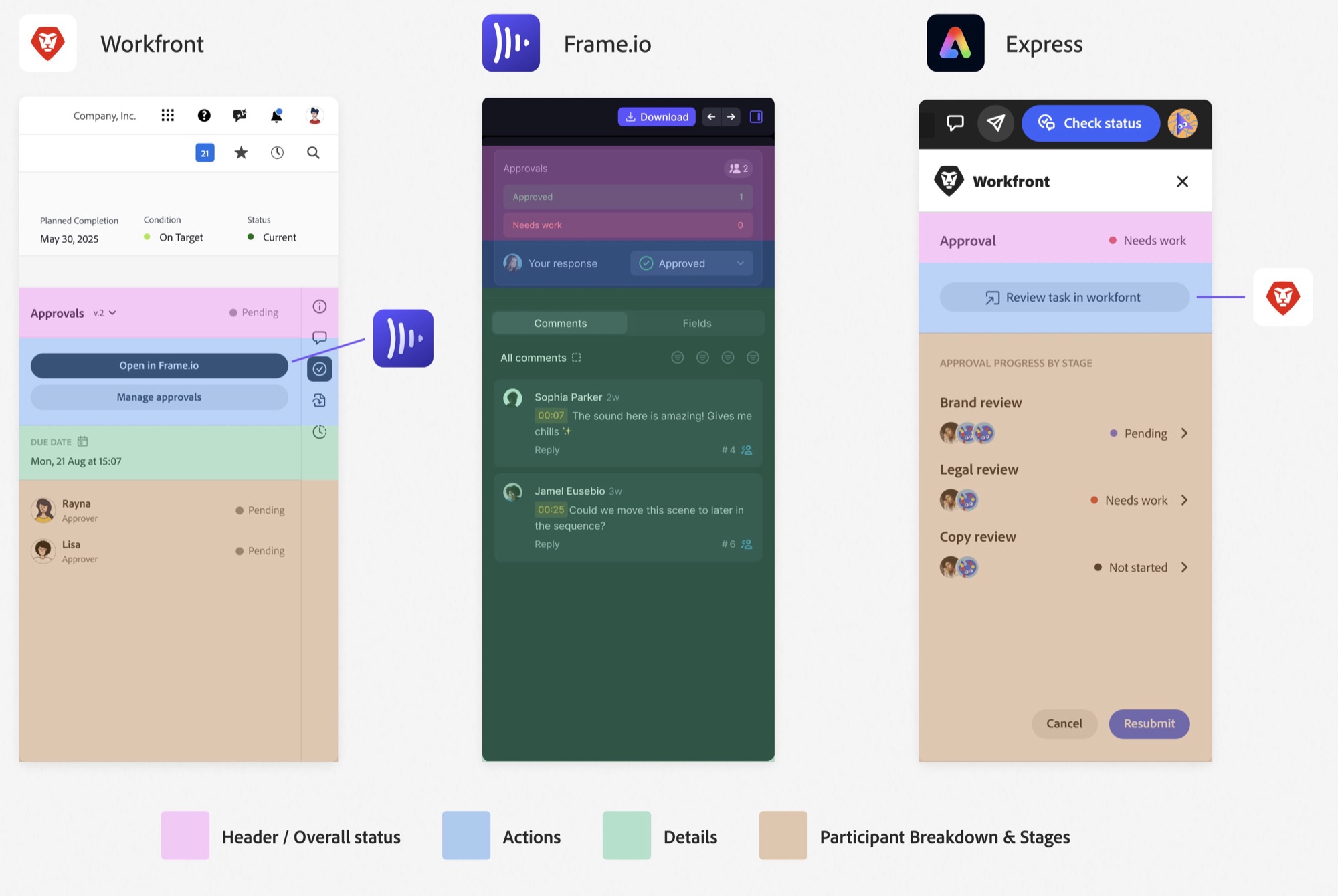
As a project manager, you send an asset for approval in Workfront and it gets approved. You check Frame.io and it’s still in review. You go to Express and it hasn’t updated. One asset, three different answers. I led the design of the system that fixed it.
Problem
Four products each had their own approval experience. For the business, that meant slower enterprise adoption of cross-product workflows and a high engineering cost to maintain four systems. For customers, it meant confusion when moving between products, with no clear reason why the experiences changed or weren’t in sync.
Outcome
Task completion rose to 92% (+26%), usability scores improved by 23 points, and the time spent building and maintaining approvals dropped by 40 to 60%. Four approval models became one.
Role
Design lead for the system. I owned the governance model, unified states and terminology, the modular components, and cross-product stakeholder alignment.
Partners
- Product defined where approvals fit in the roadmap
- Engineering defined the backend architecture
Before: one asset, three answers
With one shared model
The opportunity
Create a reusable approval system that could scale across surfaces without forcing identical UI.
What research told us
I audited each product’s approval workflow, documenting steps, states and roles, and ran observational and discovery research with the three roles in every approval.
Creator
Find, prioritize, and send work for approval.
Reviewer
Check in on work to make sure everything is on track.
Approver / Stakeholder
Approve assets before they go live.
The audit showed inconsistent layouts, terminology and design patterns. In research, cross-product breakdowns were causing delays and lost context, and users had built workarounds for approvals of every complexity.
Each team had solved approvals for its own product. Nothing connected them.
Designing for the hard 30%
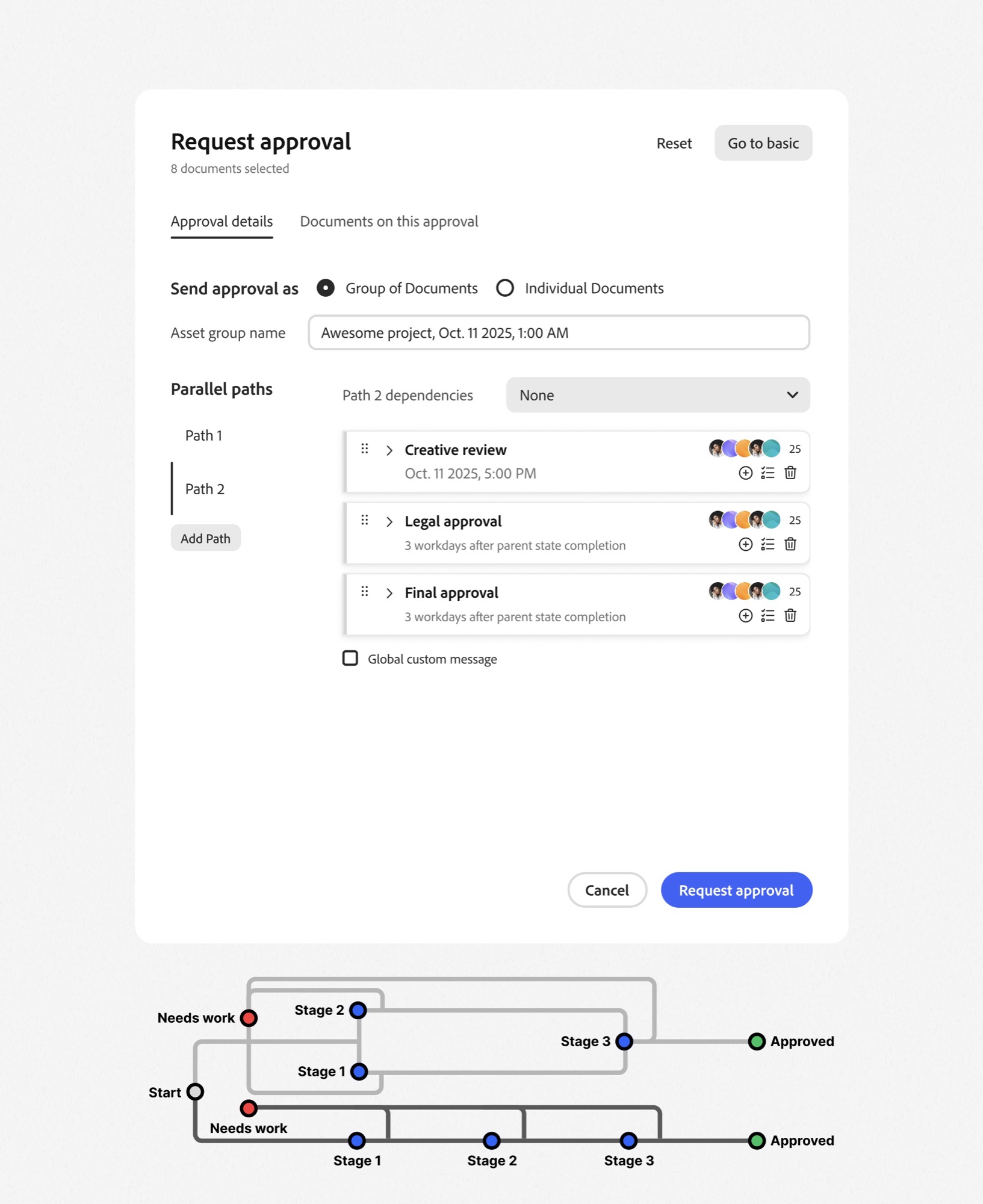
70% of approvals are single stage. The system still had to support the other 30% without breaking, where hundreds of assets can move through dozens of parallel workflows at once.
One shared language
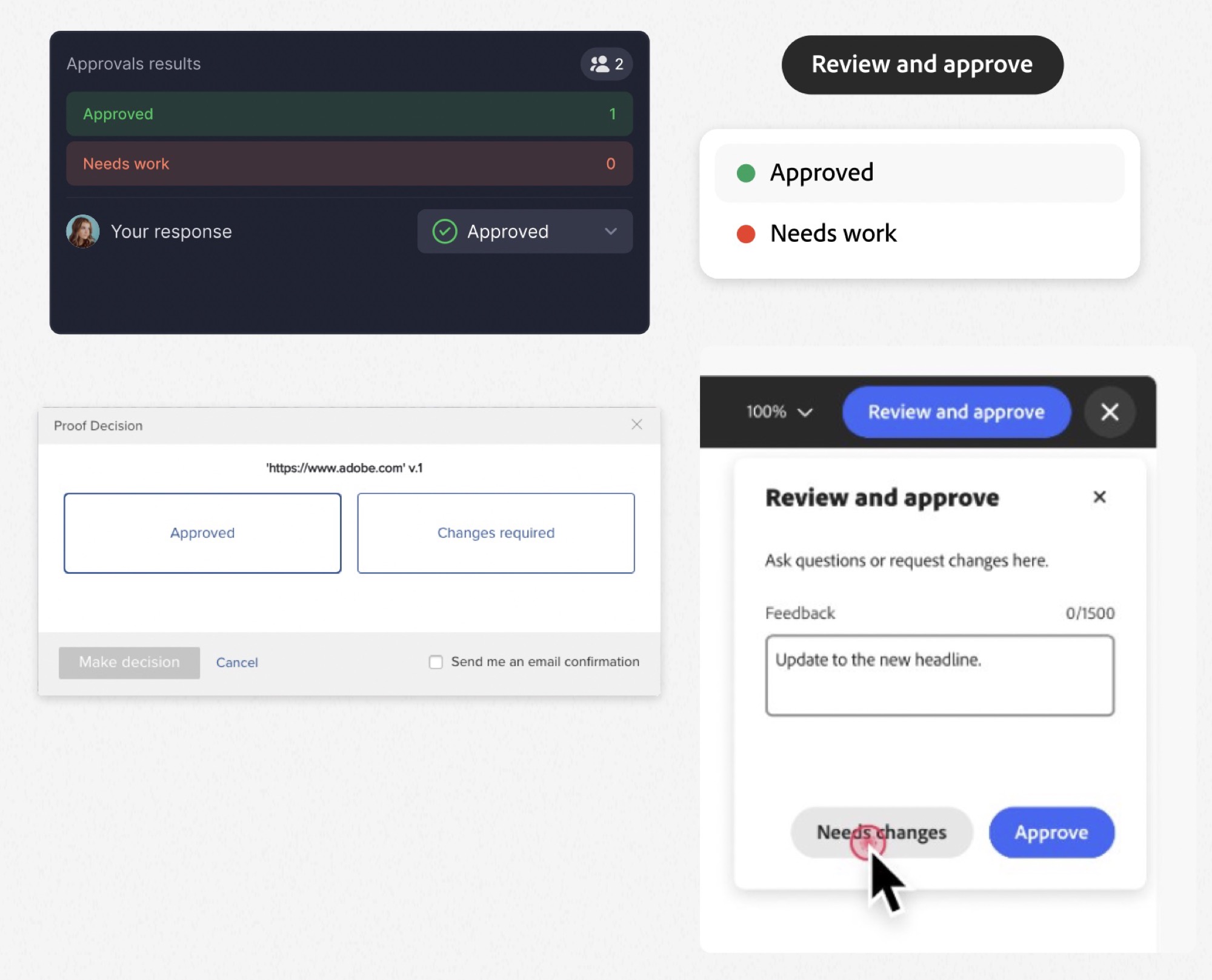
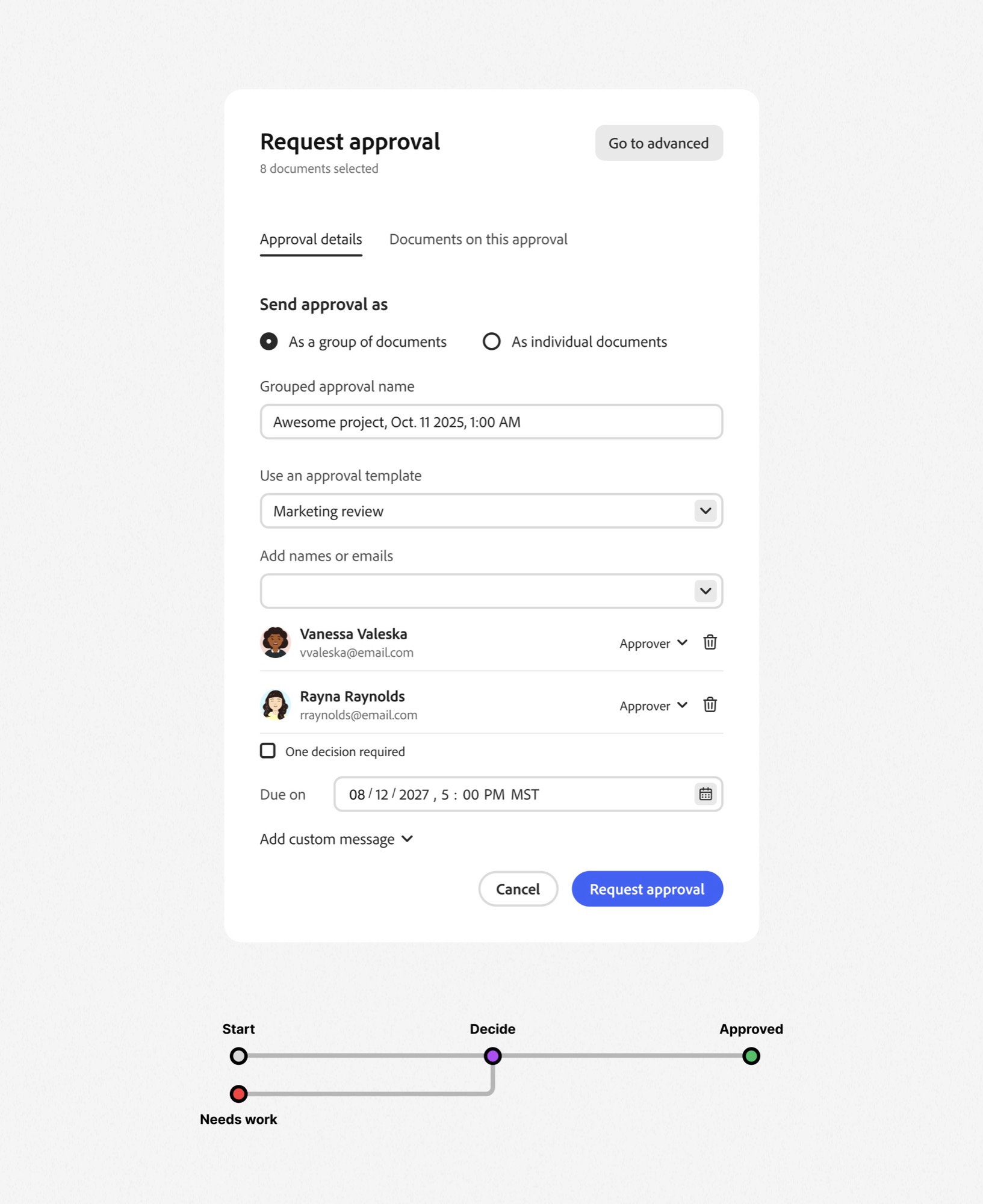
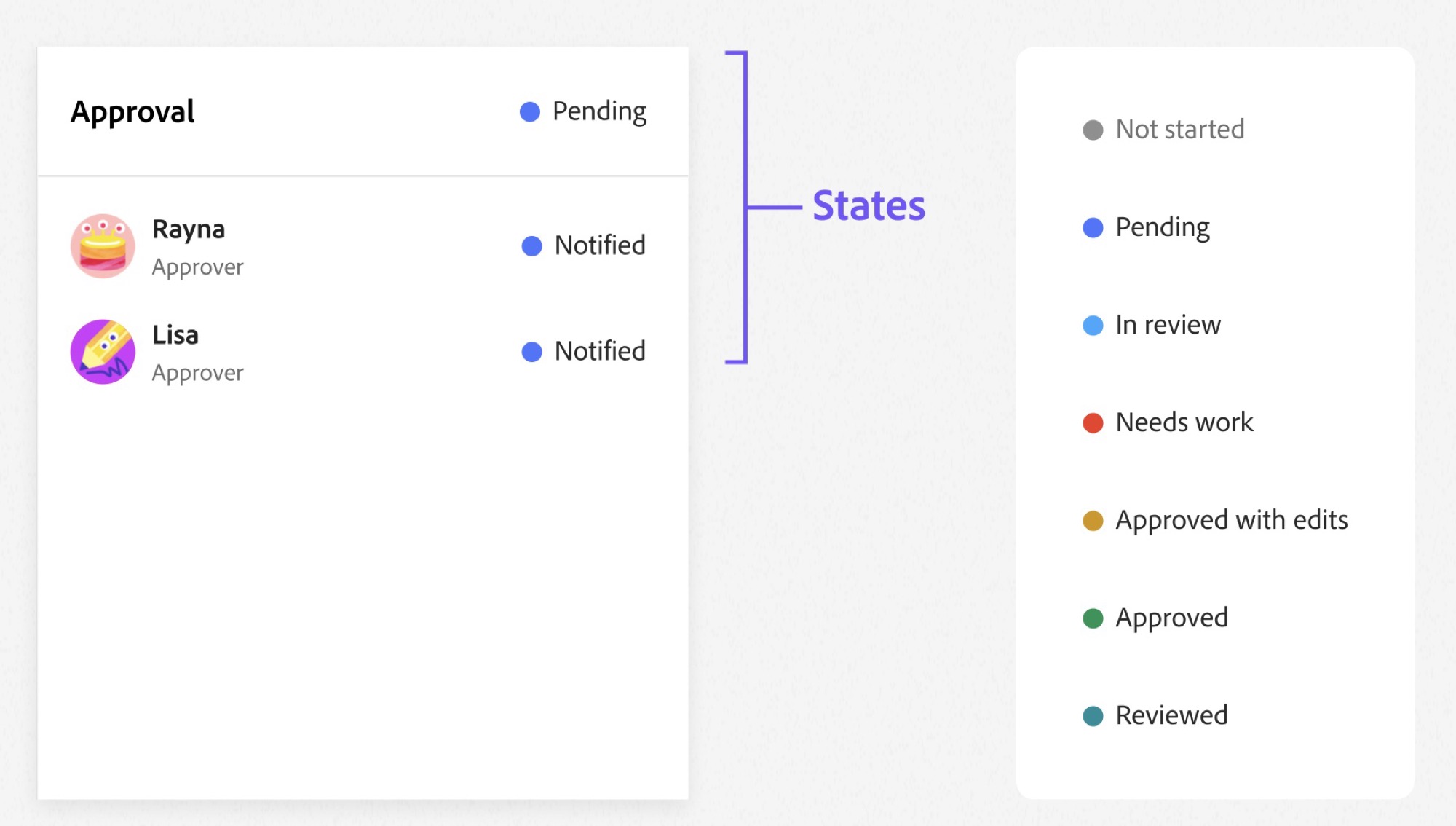
Before any UI, I defined the vocabulary every product would use: the actions people take, the roles they play, and the states an approval moves through.
Actions
Roles
States
Aligning teams with governance, not a mandate
Teams pushed back, and each concern was reasonable:
“This will conflict with our existing UI.”
“Our users already know our terminology.”
“This will slow down more urgent work.”
Instead of letting each team decide independently, I set up a governance model with clear boundaries, trading some short-term UI inconsistency for long-term scalability.
The foundation
Flexible
A system of modules, not a single screen
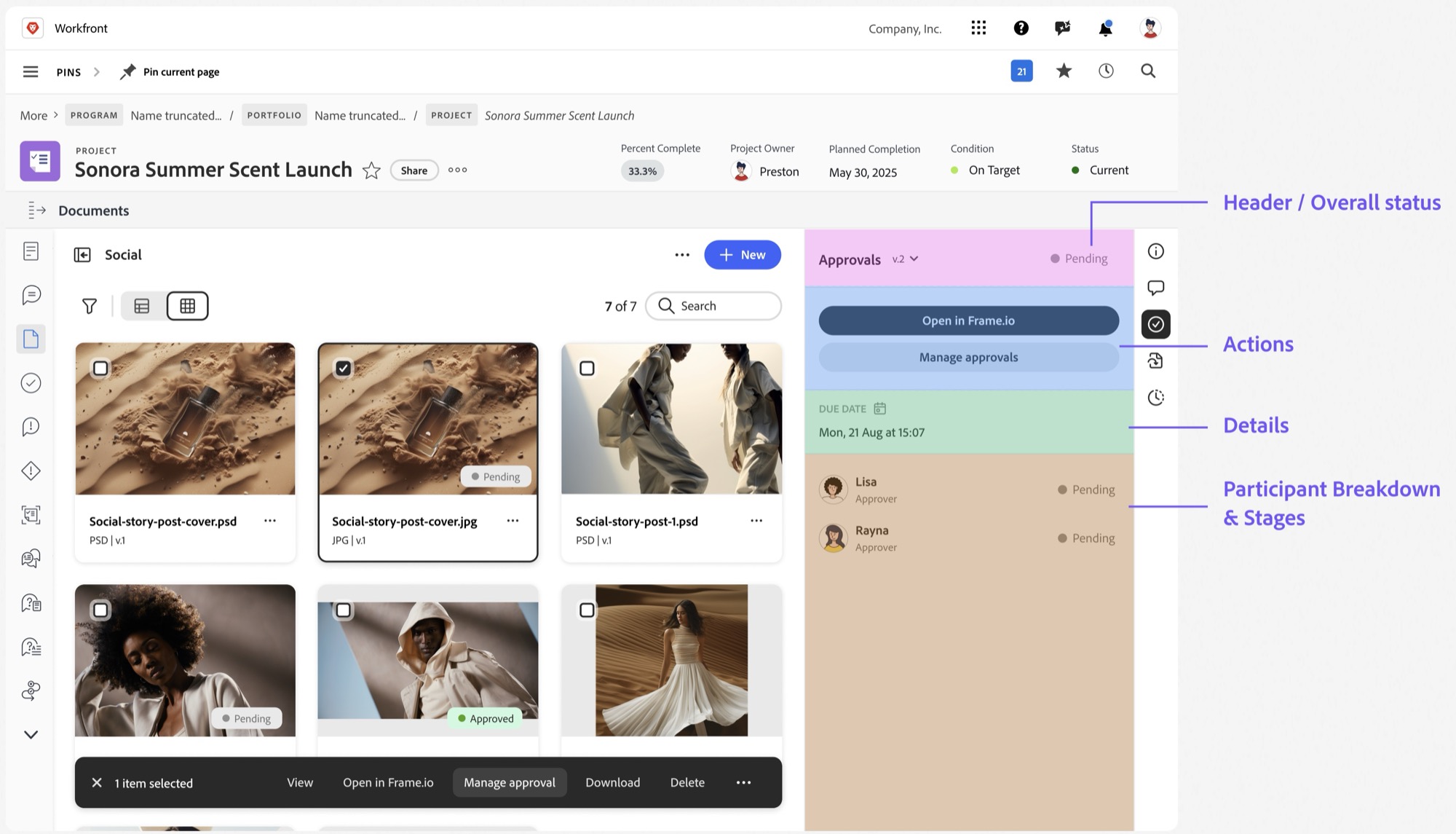
The approval experience was broken into reusable parts that Workfront, Frame.io and Express can each assemble in their own UI.
Validating trust and clarity
We measured overall understanding and trust of the system, using the three questions every approval has to answer.
Results
92%
successful task completion, up 26%
+23
points of total usability (TUX 55 to 68)
40–60%
less time spent building and maintaining
4 → 1
review and approval models
Customer impact
- Clear understanding of the experience across surfaces
- Unified language and reporting
Organization impact
- A shared review governance model
- Cross-product terminology standards
- Influence on the platform component library
- Less future design duplication
- Engineering spent less time building, fixing and adding features
- Design spent less time maintaining consistency across workflows
Approvals stopped being a per-product feature and became a platform capability.
Reflection
What worked
- Abstracting the logic before designing the UI
- Early stakeholder alignment
What I would improve
- Push newer acquisitions harder to adopt shared patterns
- Track success metrics for existing workflows before building anything new
Composability can come through systems, not just a unified UI.
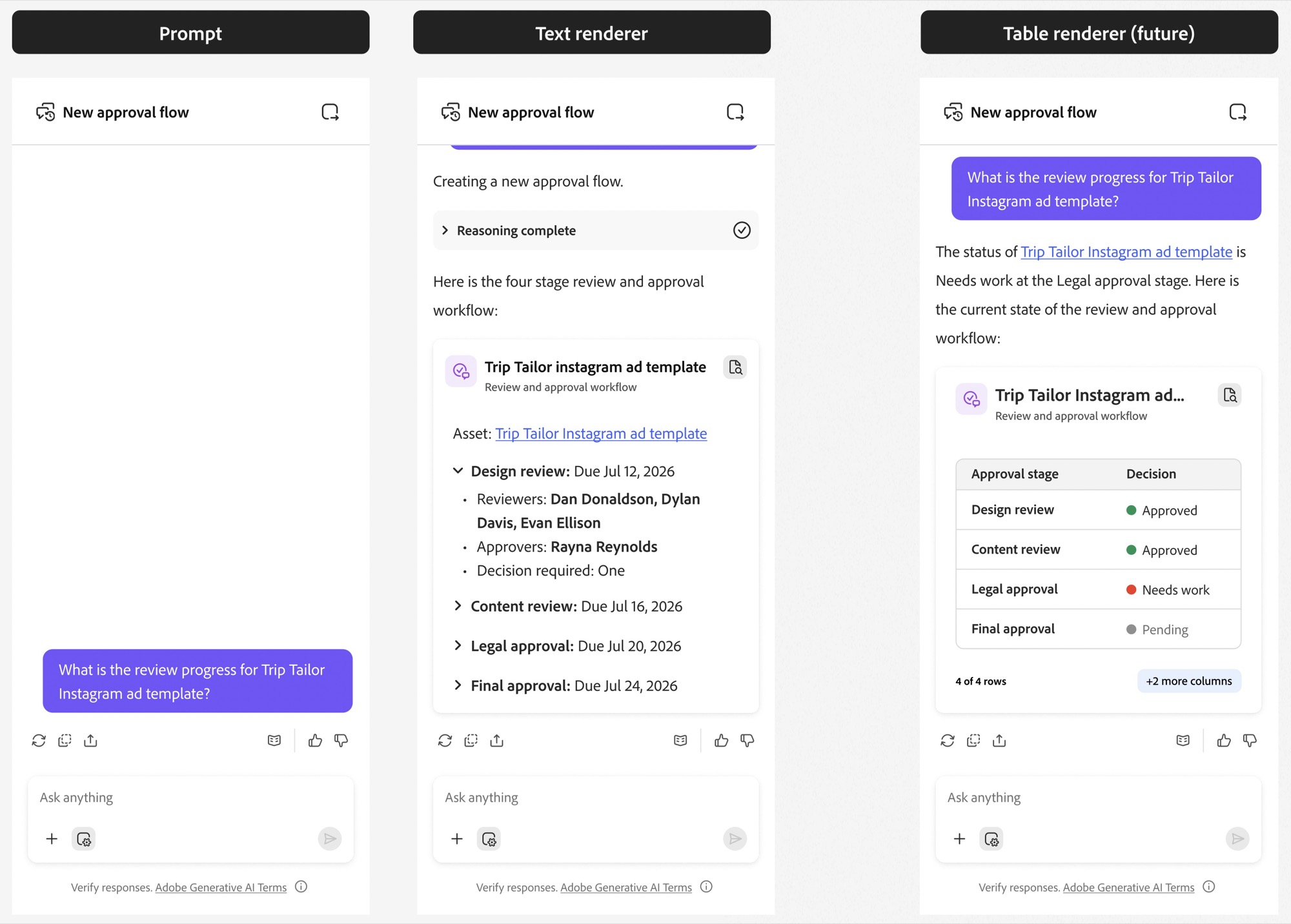
What’s next: approvals inside AI
Approvals didn’t exist in the AI experience yet, and a wrong status in a response isn’t a UX problem, it’s a workflow failure.
Approach
Start with text-based renderers, then progressively introduce tables and actions. The first test is a single prompt asking for a four-stage review and approval workflow:
Open questions
- Can approval decisions be trusted to an AI?
- Static vs. live data renderers
- Where decisions are recorded and stored